Google Merchant Center SEO: How Free Listings Drive Ecommerce Traffic
In today’s crowded online marketplace, earning visibility without blowing your ad budget is a top priority for every ecommerce store owner. Google Merchant Center (GMC) offers a powerful, cost‑free way to get your products in front of shoppers through free product listings that appear across Google Search, the Shopping tab, Google Images, YouTube, and even Google Maps. When optimized correctly, these free listings act as an extension of your SEO strategy, driving highly‑intent traffic straight to your product pages—no pay‑per‑click required.
This guide walks you through exactly how Google Merchant Center SEO works, why free listings are a game‑changer for organic traffic, and the step‑by‑tep actions you can take today to start attracting more shoppers without spending a dime on ads. Throughout, you’ll find internal resources from SellSuiteX to deepen your knowledge, plus vetted external links (including Google’s own documentation) for further reading.
What Is Google Merchant Center?
Google Merchant Center is a platform where retailers upload and manage their product data so that Google can surface those items across its shopping surfaces. Think of it as the central hub that feeds Google’s Shopping Graph—a real‑time understanding of products, prices, availability, and merchant trust signals .
When you create a GMC account, you verify ownership of your website (via HTML file upload, Google Tag Manager, or Google Analytics) and then submit a product feed containing essential attributes like title, description, image link, price, availability, and GTIN/UPC . Once your feed passes Google’s policies, your products become eligible for both paid Shopping Ads and free listings (sometimes called “organic” or “unpaid” listings) .
SellSuiteX Insight: For a deeper dive into the technical setup, see our step‑by‑step checklist: Google Merchant Center Setup Guide.
How Free Listings Work in Google’s Ecosystem
Free listings are powered entirely by the quality and completeness of your product feed. Unlike paid ads, there is no bidding; Google’s algorithm decides where to show your products based on relevance, feed accuracy, and store quality . These listings can appear in:
- Google Shopping tab (the dedicated shopping surface)
- Google Search results (as rich product cards or organic shopping carousels)
- Google Images (when users search for a product and see a thumbnail with price)
- YouTube (in video descriptions or shopping shelves)
- Google Maps (for local inventory queries)
- Google Lens (visual search results)
- Gemini (Google’s AI‑powered assistant)
Because the placements are determined by relevance rather than budget, free listings provide a baseline of visibility that continues to generate traffic even when you pause paid campaigns . In fact, Google’s internal data shows merchants who run both free listings and paid Shopping Ads see an average 50 % increase in total clicks and a 100 % increase in total impressions compared to using paid ads alone .
SellSuiteX Insight: Learn how free listings complement paid strategies in our article: Balancing Free & Paid Google Shopping.

SEO Benefits of Free Product Listings
While free listings are not a traditional SEO tactic (they don’t directly influence your site’s organic rankings), they deliver several SEO‑adjacent advantages that ultimately boost traffic and conversions:
- High‑Intent Traffic – Shoppers clicking free listings are actively searching for a product like yours, meaning they’re further down the purchase funnel. This traffic appears in Google Analytics as google / organic, reinforcing your overall organic performance .
- Improved Click‑Through Rates (CTR) – Attributes such as
sale_priceandsale_price_effective_datetrigger price‑drop badges, which can lift CTR by 8‑15 % . Adding promotions or free‑shipping badges further increases engagement. - Enhanced Trust Signals – Including product reviews, ratings, and accurate shipping information builds confidence. Google’s Top Quality Store program rewards merchants with high store quality scores, which in turn improves free‑listing eligibility and placement .
- Content Freshness – Regularly updating your feed (price, availability, new products) signals to Google that your site is current, which can indirectly support crawling and indexing of your product pages .
- Local SEO Boost – Enabling Local Inventory Ads (even without paid spend) lets nearby shoppers see real‑time stock availability, driving foot traffic to brick‑and‑mortar locations .SellSuiteX Insight: For a complete checklist of trust‑signal optimizations, download our free resource: Ecommerce Trust‑Signal Checklist.

Setting Up Your Merchant Center Account
Getting started is straightforward, but each step must be completed correctly to avoid disapprovals. Google's approval process is thorough — even minor inconsistencies, such as a mismatched business name or an unverified website, can result in your account or individual products being suspended. Taking the time to follow each step carefully from the outset will save you significant troubleshooting later and ensure your products go live as quickly as possible.
Step 1: Create & Verify Your Account
- Go to Google Merchant Center and sign in with your Google account.
- Click + Add → Create account and enter your business details.
- Verify and claim your website using one of Google’s approved methods (HTML file upload, DNS record, Google Tag Manager, or Google Analytics) .
Step 2: Configure Business Information
- Business name – Must match the name on your website and receipts.
- Contact information – Include a valid customer‑service email and phone number.
- Return & refund policy – Must be easily accessible on your site (Google checks for this) .
Step 3: Set Up Tax & Shipping (Optional for Free Listings)
While tax and shipping settings are mandatory for Shopping Ads, free listings can run without them; however, providing accurate shipping cost and speed improves the user experience and can trigger shipping‑time badges .
Step 4: Link Your Google Business Profile (For Local Visibility)
If you have a physical store, connect your Google Business Profile to enable local product listings and “Pickup today” badges .
SellSuiteX Insight: Watch our video walkthrough of the entire setup process: How to Set Up Google Merchant Center in 10 Minutes.
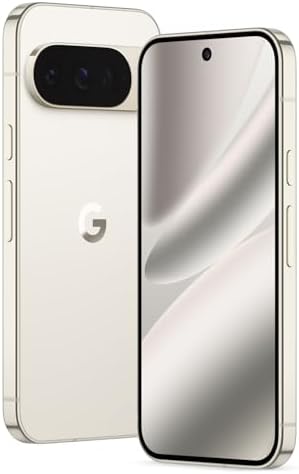
- Google Pixel 10 Pro is the ultimate Pixel experience, featuring advanced AI with Gemini, unbelievable camera quality, im…
- Unlocked Android phone gives you the flexibility to change carriers and choose your own data plan[2]
- Pixel’s pro camera system makes everything look amazing, even in low light; capture more of the scene with advanced Goog…
Optimizing Your Product Feed for Maximum Visibility
The product feed is the lifeblood of your free listings — and treating it as such is one of the highest-leverage investments you can make in your ecommerce strategy. Think of your feed as the bridge between your product catalog and Google's shopping engine: every attribute you include, every title you craft, and every image you submit is a signal that Google uses to decide whether — and how prominently — to show your products to shoppers actively searching for them.
A clean feed means zero errors, no missing required attributes, and prices that match your landing pages exactly. A detailed feed means going beyond the bare minimum: rich descriptions, accurate GTINs, precise product categories, and supplemental data like custom labels and shipping details. An accurate feed means keeping availability, pricing, and promotional information up to date — ideally refreshed daily or in real time.
When your feed ticks all three of these boxes, the rewards compound. Google's algorithm gains greater confidence in your listings, which directly translates into higher impression share, better placement within free shopping results, and increased eligibility for enhanced features like price-drop badges, shipping-time callouts, and promotional highlights. Conversely, a poorly maintained feed — riddled with disapprovals, stale prices, or vague titles — can suppress your visibility entirely, leaving potential revenue on the table for competitors with cleaner data.
Essential Feed Attributes
| Attribute | Why It Matters | Optimization Tips |
|---|---|---|
| id | Unique identifier for each item | Use a stable SKU; avoid changing IDs frequently. |
| title | Primary matching factor for queries | Front‑load the most important keywords (brand, product type, key features). Keep under 150 characters; test variations. |
| description | Provides context and relevance | Write unique, benefit‑focused copy (minimum 500 words for complex products). Avoid copying manufacturer text verbatim. |
| link | Landing page URL | Ensure the URL is crawlable, uses HTTPS, and redirects (if any) lead directly to the product page. |
| image_link | Visual trust signal | Use 1000×1000 px or larger, white background, no watermarks or promotional text. |
| availability | Determines if product can be shown | Use in stock, out of stock, preorder, etc. Keep updated daily. |
| price | Shown in listings; influences price‑drop badges | Match the price on your landing page exactly. Use sale_price for discounts. |
| gtin / mpn / brand | Helps Google match to universal product codes | Include GTIN (UPC/EAN/ISBN) whenever possible; if unavailable, provide MPN and brand. |
| shipping | Enables shipping‑time badges | Specify cost, speed, and country; use flat rate or percentage as appropriate. |
| tax | Required for certain jurisdictions | Set up if you collect sales tax; otherwise, indicate tax = no. |
| adult | Flags age‑restricted items | Set to true if applicable to avoid disapprovals. |
| multipack / is_bundle | Clarifies product configuration | Use correct values to prevent mismatches. |
| custom_label_0‑4 | Segmentation for bidding & organic strategy | Label by margin, seasonality, best‑seller, etc., to prioritize optimization efforts. |
SellSuiteX Insight: Download our feed‑optimization template (CSV) to ensure you include every required attribute: Google Merchant Center Feed Template.
Best Practices for Feed Quality
- Use a Content API or Scheduled Fetch – Automate feed updates to avoid stale data.
- Validate Regularly – Use the Diagnostics tab in GMC to catch errors (missing images, price mismatches, GTIN issues). Aim for 0 % errors before pushing updates.
- Leverage Supplemental Feeds – Add missing attributes (like custom labels or promotional text) without rebuilding your primary feed.
- Avoid Promotional Text in Titles/Descriptions – Google disallows phrases like “Sale”, “Best Price”, or “Free Shipping” in title/description fields; use the dedicated
promotionattribute instead . - Optimize for Google Lens & Visual Search – High‑resolution images with clear product angles improve chances of appearing in visual search results .
Leveraging Additional Free Features
Beyond basic free listings, GMC offers several complimentary tools that can significantly amplify your reach and help you stand out in an increasingly competitive shopping landscape. These features are designed to give merchants of all sizes — from solo entrepreneurs to large-scale retailers — additional touchpoints with potential customers across Google's ecosystem, including Search, Maps, Images, and YouTube. Whether you're looking to drive foot traffic to a physical store, boost click-through rates with eye-catching promotions, or build long-term trust through verified reviews, these tools work together to maximize your visibility without adding to your ad spend.
1. Local Inventory Ads & Free Local Listings
If you have a brick‑and‑mortar store, enable local inventory to show real‑time stock to nearby shoppers. Shoppers who see local inventory information are 50 % more likely to visit the store within 24 hours .
Setup:
- Verify and link your Google Business Profile.
- Submit a local products feed containing store code, product‑level inventory, and pickup‑today windows.
- Update the feed at least daily (real‑time updates are ideal).
2. Promotions & Special Offers
Use the Promotions tool to surface deals like “10 % Off” or “Buy One, Get One Free” directly in your listings. Promotions increase CTR and can be scheduled for holidays or flash sales . I can't stress it enough that promotions are one of if not the most helpful marketing tool on the market and are always doable by adjusting your price to account for the potential discount your giving.
3. Product Ratings & Reviews
Join Google Customer Reviews or a trusted review partner — such as Trustpilot, Yotpo, or Bazaarvoice — to gather verified seller ratings and product reviews. Once you've accumulated at least 100 eligible reviews within a 12-month period, Google will display aggregate star ratings (ranging from 1 to 5 stars) directly within your free listings in Google Shopping results.
Displaying these star ratings delivers several powerful benefits:
- Builds immediate trust – Shoppers are far more likely to click on a listing adorned with visible star ratings, as it signals social proof and a credible buying experience.
- Improves click-through rates (CTR) – Listings with ratings consistently outperform those without, since stars are visually prominent and draw the eye in a crowded search results page.
- Can influence placement – Google's algorithm factors in seller and product reputation when determining listing prominence, meaning a strong review profile may help your products rank higher in free listings over time.
- Generates valuable feedback – Customer reviews also surface insights about product quality, shipping speed, and overall satisfaction, giving you actionable data to improve your store.
To get started, enroll in the Google Customer Reviews program (free and straightforward to set up via your GMC account), add the survey opt-in code to your order confirmation page, and begin collecting post-purchase feedback automatically.
4. Dynamic Remarketing (Free Setup)
Even if you're not running paid remarketing campaigns, it's still worth taking the time to properly configure your Google tag parameters so they align precisely with the product IDs used in your Merchant Center feed. When your tag fires on a product page, it passes a unique identifier — typically the item's id attribute from your feed — back to Google. If those IDs don't match exactly (for example, a tag passing SKU-123 while your feed uses 123), Google loses the ability to associate that page visit with the correct product.
Why does this matter for free listings? Google uses behavioral signals — such as which products site visitors viewed, how long they engaged, and whether they returned — to better understand product relevance and demand. When tag parameters and feed IDs are properly synced, Google can build a more accurate picture of user intent, which can positively influence how your products are ranked and surfaced in organic Shopping placements over time.
To verify your setup, check that the ecomm_prodid parameter in your Google tag (or the items.item_id field in GA4 events) exactly matches the id column in your product feed — including any prefixes, suffixes, or formatting. Tools like Google Tag Assistant or the Merchant Center's diagnostics panel can help you quickly spot any mismatches before they silently cost you visibility.
5. Store Quality Program
Review the Store Quality tab in GMC to see how you benchmark against peers. Improving your rating (via faster shipping, lower return rates, accurate descriptions) increases eligibility for premium free placements .
SellSuiteX Insight: Learn how to automate promotion scheduling with our Shopify app: Promo Scheduler for Google Merchant Center.
Measuring Performance & Iterating
To understand the impact of your free listings, track the right metrics and refine your feed continuously.
Key Metrics to Monitor
| Metric | Where to Find It | What It Tells You |
|---|---|---|
| Clicks from free listings | Google Analytics → Acquisition → Google/organic (filter by Landing Page containing /shopping/ or use UTM parameters if added) | Volume of traffic driven by free listings. |
| Impressions | Merchant Center → Performance tab (filter by “Free listings”) | How often your products appear. |
| Click‑Through Rate (CTR) | Impressions ÷ Clicks | Relevance and appeal of your listings. |
| Conversion Rate | Google Analytics → Ecommerce → Conversion rate for google / organic traffic | Quality of traffic; indicates landing‑page effectiveness. |
| Price Competitiveness | Merchant Center → Price competitiveness report | How your pricing stacks against competitors for identical GTINs. |
| Disapprovals & Diagnostics | Merchant Center → Diagnostics | Feed errors that prevent listings from showing. |
Optimization Loop
- Audit Diagnostics – Fix any errors (missing images, price mismatches).
- Test Title Variations – Use A/B testing (via supplemental feeds) to see which keyword‑rich titles yield higher CTR.
- Enrich Descriptions – Add unique selling points, FAQs, or usage tips to improve relevance for long‑tail queries.
- Update Availability – Ensure out‑of‑stock items are marked promptly to avoid poor user experience.
- Leverage Custom Labels – Segment high‑margin or seasonal products and prioritize feed updates for those groups.
- Monitor Seasonal Trends – Increase feed freshness before holidays; adjust promotions accordingly.SellSuiteX Insight: Our monthly performance report template helps you track these metrics automatically: GMC Performance Tracker (Google Sheets).
Tools, Templates, & Further Reading
Internal SellSuiteX Resources
- Google Merchant Center Setup Guide – Step‑by‑step walkthrough from account creation to first feed upload.
- Feed Optimization Checklist – Printable list of required attributes and common pitfalls.
- Ecommerce Trust‑Signal Checklist – How to gather reviews, display ratings, and improve store quality.
- Free vs Paid Google Shopping – When to rely on free listings and when to layer in paid ads.
- Promo Scheduler App – Automate promotion creation for holidays and flash sales.
External Resources
- Google Merchant Center Help – Free listings for products – Official policies and setup instructions
- Google Shopping Free Listings Guide (HostGator) – Beginner‑friendly tutorial with screenshots
- PageOptimizer Pro – SEO For Google Merchant Center – Advanced feed‑optimization tips
- FeedOps – Set Up Google Shopping Free Listings – Practical steps for WooCommerce, Shopify, Magento
- Trustpilot – 5 Tips for Google Shopping Free Listings – Real‑world case study from European retailers
- RankingBySEO – Google Merchant Center SEO: Optimize Listings & Drive Sales – In‑depth guide on title and description optimization

Conclusion & Next Steps
Google Merchant Center’s free listings provide a cost‑effective, high‑intent traffic source that complements both your SEO and paid advertising efforts. By meticulously optimizing your product feed, leveraging complementary features like local inventory and promotions, and continuously measuring performance, you can turn GMC into a reliable engine for ecommerce growth—without spending a cent on clicks.
Your action plan:
- Create or audit your GMC account today (verify your website, complete business info).
- Upload a clean, attribute‑rich product feed using our feed template.
- Enable at least one advanced feature (local inventory, promotions, or product reviews) to start seeing extra visibility.
- Set up weekly diagnostics reviews and iterate based on CTR, impressions, and conversion data.
Ready to supercharge your store’s traffic with free Google listings?
- Start your free trial of SellSuiteX’s GMC Optimization Suite – Includes feed audits, title‑description split testing, and automated promotion scheduling (ThriveCart affiliate link).
- Boost your conversion rates with ConvertBox – targeted on‑site messages for Google‑shoppers – Capture exit‑intent visitors and turn them into buyers (ConvertBox affiliate link).
Begin optimizing now, and watch your product pages climb higher in Google’s shopping results—organically, sustainably, and profitably.





Leave a Reply